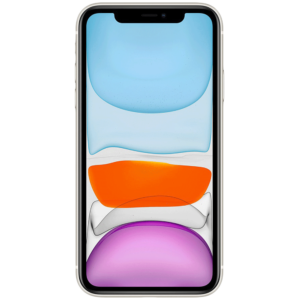
The iPhone 11, a powerhouse of modern technology, is renowned for its durability and performance. However, like all electronic devices, it can encounter various issues over time. Whether you’re facing screen damage, battery problems, or software glitches, this guide will walk you through the most common iPhone 11 repair scenarios and provide practical solutions.
1. Cracked or Broken Screen
Symptoms:
- Visible cracks or shattering
- Unresponsive touch screen
- Discoloration or lines on the display
Solutions:
- DIY Screen Replacement: If you’re handy with tools, consider purchasing a screen repair kit. These kits come with a replacement screen, tools, and instructions. However, this route is risky and can void your warranty if not done correctly.
- Professional Repair Services: For most users, visiting an authorized repair center or a reputable third-party repair shop is the safest option. They have the expertise and equipment to replace your screen without damaging other components.
2. Battery Life Issues
Symptoms:
- Rapid battery drain
- iPhone shuts down unexpectedly
- Battery health significantly below 80%
Solutions:
- Battery Calibration: Sometimes, recalibrating your battery can help. Let your battery drain completely, then charge it to 100% without interruption.
- Battery Replacement: If calibration doesn’t work, your battery may need replacing. Apple offers battery replacement services, and there are also third-party options. Always use high-quality replacement batteries to avoid potential hazards.
3. Software Glitches
Symptoms:
- Apps crashing frequently
- iPhone freezing or becoming unresponsive
- Unexpected reboots
Solutions:
- Restart Your iPhone: A simple restart can resolve many minor software issues. Press and hold the side button and either volume button until the slider appears, then slide to power off.
- Update iOS: Ensure your iPhone is running the latest version of iOS. Updates often include bug fixes and performance improvements.
- Factory Reset: If problems persist, consider performing a factory reset. Remember to back up your data first, as this will erase everything on your device.
4. Camera Malfunctions
Symptoms:
- Blurry or unfocused photos
- Camera app crashes
- Flash not working
Solutions:
- Clean the Lens: Use a microfiber cloth to clean the camera lens. Dirt or fingerprints can affect photo quality.
- Check for Obstructions: Ensure nothing is blocking the camera, like a phone case or debris.
- Reset Settings: Go to Settings > General > Reset > Reset All Settings. This won’t erase your data but will reset system settings.
- Visit a Professional: If these steps don’t help, a hardware issue might be the cause. Professional repair is recommended.
5. Charging Problems
Symptoms:
- iPhone won’t charge
- Charging is slow or intermittent
- Charger gets unusually hot
Solutions:
- Check the Charging Port: Inspect the charging port for debris or damage. Use a soft brush or toothpick to clean it gently.
- Try a Different Cable/Charger: Sometimes, the cable or charger itself is the issue. Try using a different one to see if the problem persists.
- Inspect for Software Issues: Restart your iPhone or perform a software update. Sometimes, software glitches can interfere with charging.
- Replace the Charging Port: If none of the above solutions work, the charging port may need replacing. This can be done at an authorized repair center.
Preventive Measures
To minimize the risk of damage and prolong the life of your iPhone 11, consider these preventive measures:
- Use a Protective Case and Screen Protector: These can prevent physical damage from drops and scratches.
- Avoid Extreme Temperatures: Exposure to extreme heat or cold can damage your iPhone’s battery and internal components.
- Regular Maintenance: Keep your phone clean and free of dust, and periodically check for software updates.
Conclusion
While the iPhone 11 is a robust device, it is not immune to issues. By understanding common problems and their solutions, you can keep your phone in optimal condition and avoid unnecessary downtime. Whether you choose DIY repairs or professional services, taking timely action is key to maintaining your device’s performance and longevity.